Level 11: Serve & HTTP API
Run the workspace as a service: submit runs over HTTP, stream their progress, hold conversations, edit artifacts, meter usage — and lock the door.
What you'll learn
swarmkit serveand what it hosts (the API, the portal, an MCP endpoint)- Jobs: submit, stream, poll, history, usage
- The conversation API (what the portal's Chat page uses)
- Reading and writing artifacts over
/api/…, validated on the way in - API-key auth: minting a key, tiers, what a client sees
- Concurrency and timeouts, and calling topologies as MCP tools
The finished workspace is examples/tutorials/11-serve-api/ — Level 10 plus a server: block.
Every response below is from a real serve on that workspace.
Start it
swarmkit-runtime 1.227.0 · web portal 0.21.0
INFO  MCP endpoint mounted at /mcp
INFO  web portal mounted at /
INFO  storage:
        runtime      sqlite
        …
One process: the REST API, the portal at /, an MCP endpoint at /mcp/, and the workspace's
MCP servers started once and kept warm across runs. The OpenAPI document is at /openapi.json.
Read the workspace
curl -s localhost:8000/topologies
curl -s localhost:8000/skills            # [{"id": "content-filter", "category": "decision"}, …]
curl -s localhost:8000/archetypes
curl -s localhost:8000/validate          # {"valid": true, "workspace_id": "my-swarm", "topologies": [...], ...}
["analysis","content-team","explain","files","hello","librarian","parallel-research","pipeline","review-team","structured-review"]
/api/topologies/{id} returns one topology resolved (archetypes and skills expanded);
/api/topologies/{id}/yaml returns the file as written. /system and /capabilities describe the
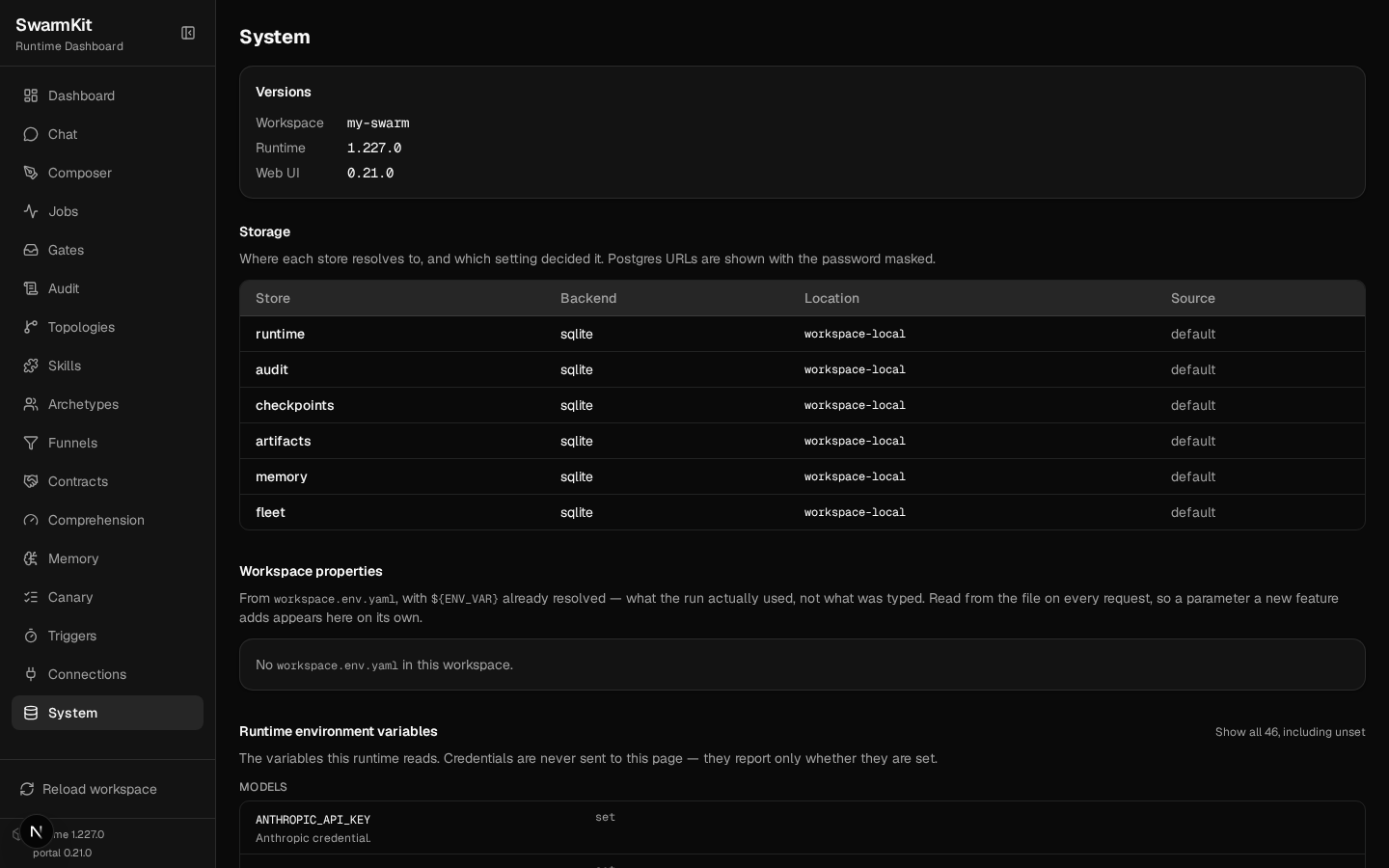
server itself — versions, which store each kind resolves to, the providers available.
Jobs
Submit
curl -s -X POST localhost:8000/run/hello \
  -H 'content-type: application/json' \
  -d '{"input": "In one sentence, why should a team write things down?"}'
{
  "job_id": "df2055ce675d",
  "status": "pending",
  "topology": "hello",
  "input": "In one sentence, why should a team write things down?",
  "created_at": "2026-09-17T14:45:11.637843+00:00",
  "output": null,
  "usage_cost_usd": null
}
Non-blocking: you get the job back the instant it is queued. The body also takes max_steps,
labels, correlation_id, parent_job_id (Level 16) and attachments (Level 19).
Stream
data: Job started for topology 'hello'

data: [assistant] thinking... (kimi-k2.5)

data: [assistant] done (9.9s)

data: Job completed successfully

data: [done] status=completed
Server-sent events, one line per progress event — the same lines swarmkit run prints. The
stream ends with [done] status=…; completed, failed, stopped or deferred (parked on a
human gate, Level 7).
Poll
{
  "job_id": "df2055ce675d",
  "status": "completed",
  "topology": "hello",
  "output": "Writing things down creates a shared, referenceable record that improves communication, alignment, and accountability across the team.",
  "input": "In one sentence, why should a team write things down?",
  "created_at": "2026-09-17T14:45:11.637843+00:00",
  "completed_at": "2026-09-17T14:46:24.744720+00:00",
  "source": "serve",
  "usage_input_tokens": 220,
  "usage_output_tokens": 74,
  "usage_cost_usd": 0.00036309
}
POST /jobs/{id}/stop stops a running job; POST /jobs/{id}/resume continues a deferred one;
GET /observability/runs/{id}/trace is the Level 8 trace as JSON.
History and usage
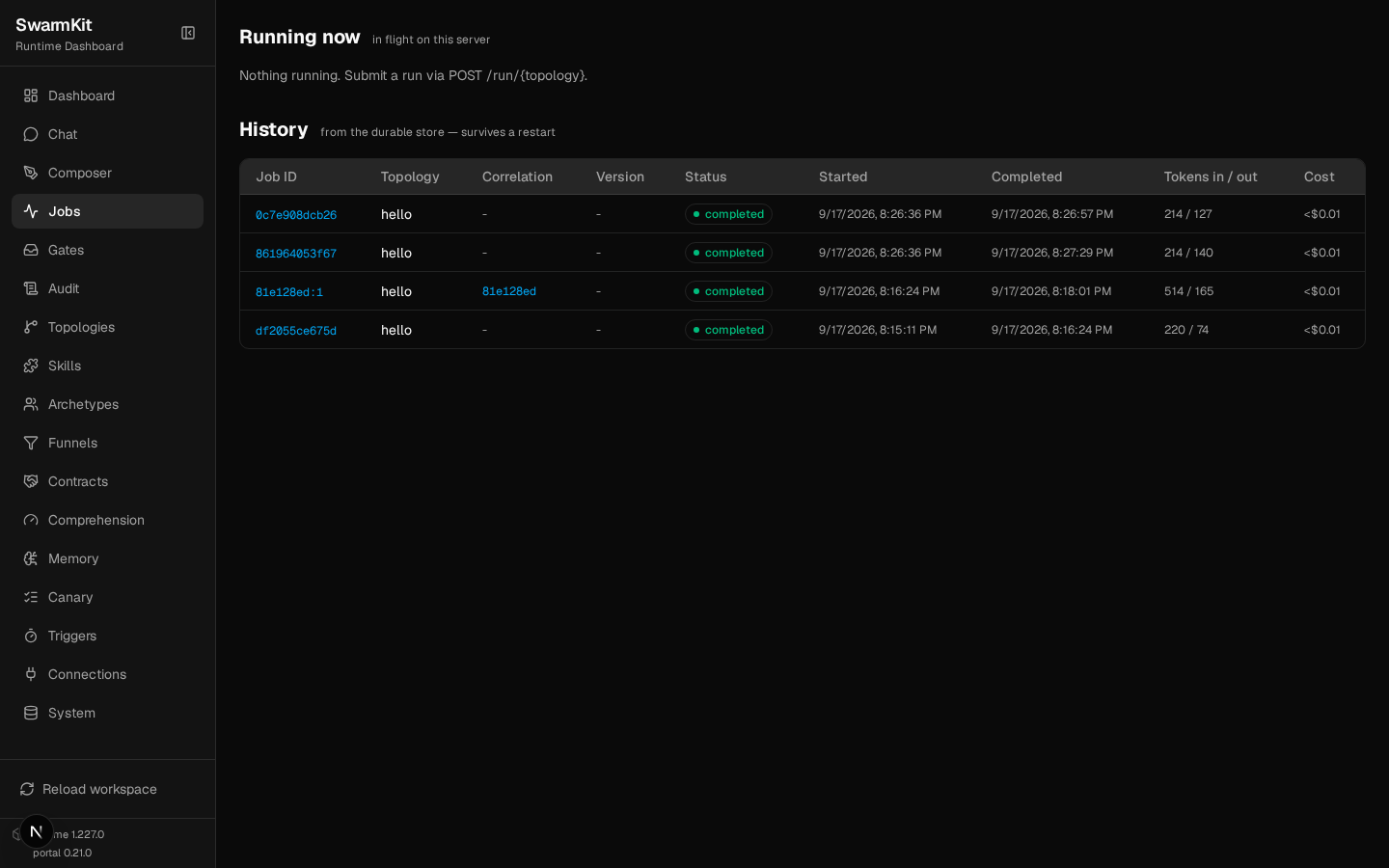
curl -s localhost:8000/jobs/history       # every run, from the durable store — survives a restart
curl -s localhost:8000/usage/df2055ce675d # one job
curl -s localhost:8000/usage              # everything, by model
{
  "summary": {"total_calls": 1, "total_input_tokens": 220, "total_output_tokens": 72, "total_cost_usd": 0.000331},
  "by_model": [
    {"model": "moonshotai/kimi-k2.5", "calls": 1, "input_tokens": 220, "output_tokens": 72, "cost_usd": 0.000331}
  ]
}
The portal's Jobs page is /jobs (running now) and /jobs/history:
Conversations
The store behind Level 9's swarmkit chat and the portal's Chat page:
curl -s -X POST localhost:8000/conversations -H 'content-type: application/json' -d '{"topology": "hello"}'
curl -N -X POST localhost:8000/conversations/81e128ed/messages \
  -H 'content-type: application/json' -d '{"message": "What is the weather in Kyoto?"}'
data: {"type": "progress", "text": "[assistant] thinking... (kimi-k2.5)"}

data: {"type": "progress", "text": "[assistant] calling get-weather {\"city\": \"Kyoto\"}"}

data: {"type": "progress", "text": "[assistant] got results: get-weather (130B) | waiting for model... (turn 1)"}

data: {"type": "progress", "text": "[assistant] done (18.2s)"}

data: {"type": "done", "output": "The weather in Kyoto is currently **22°C** and **partly cloudy**, with **65%** humidity.", "turns": 2, "conversation_id": "81e128ed", "events": [...], "usage": {...}, "trace": {...}}
A message is an SSE stream too — JSON events here, ending with done carrying the output, the
usage and the turn's trace. GET /conversations lists them; GET /conversations/{id} returns the
turns. Each turn is also a job (81e128ed:1 in the history above, correlated by the conversation
id).
Editing artifacts over the API
The portal's Composer and the YAML editors save through these; so can you:
curl -s -X POST localhost:8000/api/topologies -H 'content-type: application/json' \
  -d '{"yaml": "apiVersion: swarmkit/v1\nkind: Topology\nmetadata:\n  name: quick-answer\n  version: 0.1.0\nagents:\n  root:\n    id: assistant\n    role: root\n    archetype: friendly-assistant\n"}'
The file is topologies/quick-answer.yaml on disk, and the running server reloaded — the
topology is live without a restart. PUT /api/topologies/quick-answer with {"yaml": …}
replaces it. Invalid content is refused with the schema error, and nothing is written:
{"valid":false,"errors":[{"code":"schema.enum-mismatch","message":"topology @ /agents/root/role: 'boss' is not one of ['root', 'leader', 'worker']"}]}
DELETE /api/topologies/quick-answer removes the file. /api/skills/{id},
/api/archetypes/{id}, /api/funnels/{id} and /api/contracts/{id} follow the same pattern;
/api/schema/{artifact_type} returns the JSON Schema an editor validates against.
Authentication
Bound to loopback, an unauthenticated serve is fine. A non-loopback bind with no auth refuses to
start unless you pass --insecure — an open API cannot happen by accident.
1. Mint a key
# 1. Export the secret (shown once — store it securely):
export APP_TOKEN=<secret>

# 2. Add this under server.auth.config.keys in workspace.yaml:
        - key_ref: env:APP_TOKEN
          client_id: app
          client_name: My app
          tier: run

# 3. Restart `swarmkit serve` (auth config is read at startup).
Nothing is stored; the secret is shown once and the workspace file gets a reference to it.
2. Configure
# workspace.yaml — the server block
server:
  jobs:
    max_concurrent: 2           # a third simultaneous run is refused with 429, not queued forever
    timeout_seconds: 600        # a run past this is marked failed
  mcp:
    enabled: true               # every topology is a tool at /mcp/
  auth:
    provider: api_key
    config:
      keys:
        - key_ref: env:APP_TOKEN    # a reference, never the literal — minted by `swarmkit auth token`
          client_id: app
          client_name: My app
          tier: run               # read | run | admin — or explicit `scopes`
3. Restart and call
curl -s localhost:8000/topologies                      # {"error":"Missing or invalid API key"}   401
curl -s localhost:8000/auth-info                       # {"mode":"api_key"}   — public, so a client knows what to ask for
curl -s -H "Authorization: Bearer $APP_TOKEN" localhost:8000/whoami
{"client_id":"app","client_name":"My app","provider":"api_key","scopes":["serve:read","serve:run"],"mode":"api_key"}
Tiers are cumulative: read sees, run submits, admin reloads and edits. A run token on an
admin route:
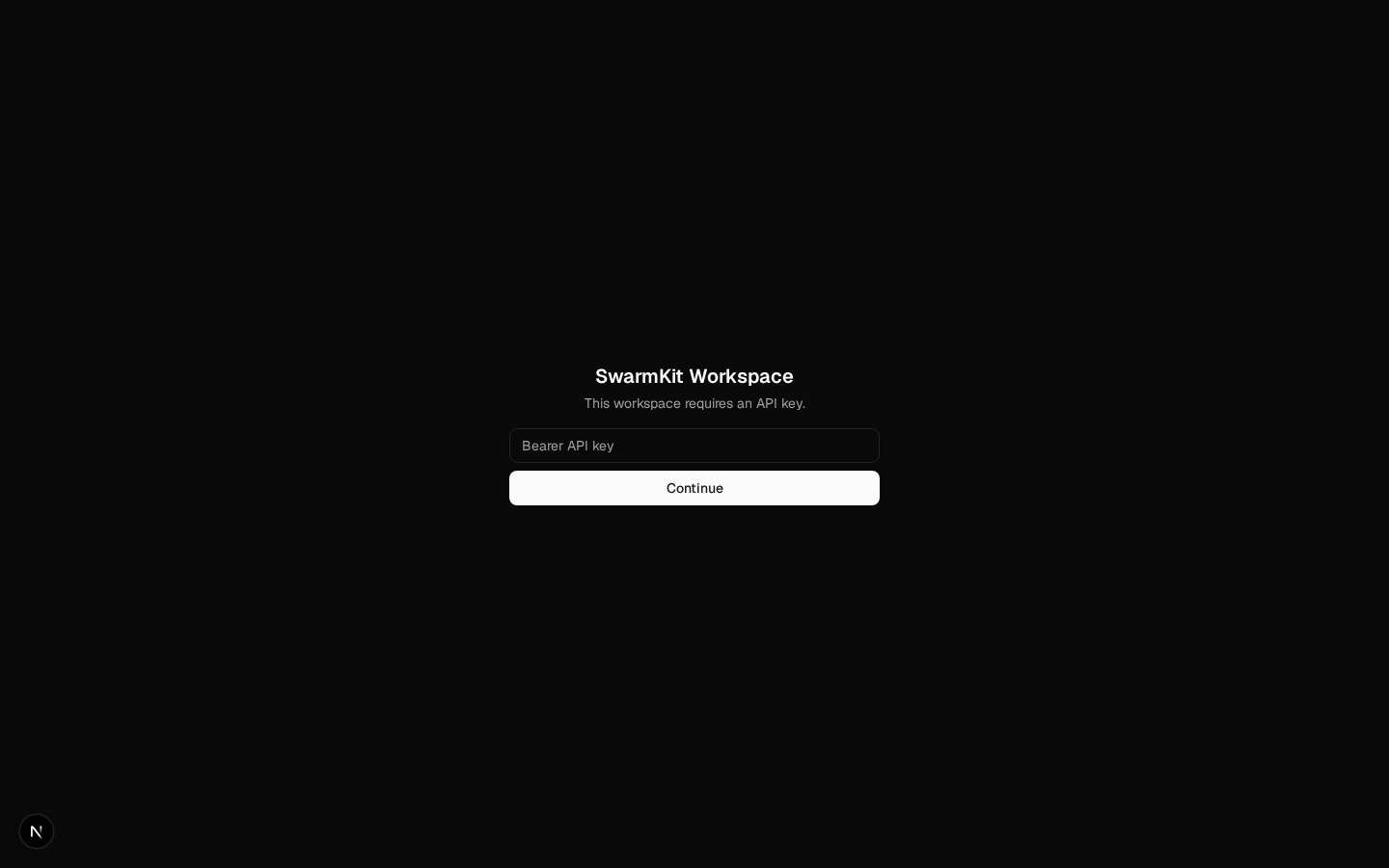
Every run/admin call is audited with the acting client_id. The portal asks for the key once
and keeps it in the browser:
JWT
server:
  auth:
    provider: jwt
    config:
      issuer: https://your-idp/
      audience: swarmkit
      jwks_url: https://your-idp/.well-known/jwks.json   # optional; discovered from the issuer otherwise
      scopes_claim: scope                                 # which claim carries the tiers
Tokens are verified against the issuer's JWKS; /auth-info advertises the issuer and audience so
a client can start the login. (Not exercised in this workspace — it needs an identity provider.)
Concurrency
max_concurrent: 2, three submissions at once:
for i in 1 2 3; do curl -s -o /dev/null -w "%{http_code} " -X POST -H "Authorization: Bearer $APP_TOKEN" \
  -H 'content-type: application/json' localhost:8000/run/hello -d '{"input":"Say hello in five words."}'; done
The third is refused, not queued: a caller sees back-pressure immediately and decides what to do.
timeout_seconds marks a run that overstays as failed and frees its slot.
Topologies as MCP tools
With server.mcp.enabled, every topology is a tool on /mcp/ (streamable HTTP), so an AI
assistant — Claude Desktop, Cursor, another swarm — can call your workspace. With the SDK's client:
from mcp import ClientSession
from mcp.client.streamable_http import streamablehttp_client

headers = {"Authorization": f"Bearer {APP_TOKEN}"}
async with streamablehttp_client("http://localhost:8000/mcp/", headers=headers) as (r, w, _):
    async with ClientSession(r, w) as s:
        await s.initialize()
        print([t.name for t in (await s.list_tools()).tools])
        res = await s.call_tool("run_hello", {"input": "Say hello in five words."})
        print(res.content[0].text)
['run_analysis', 'run_content-team', 'run_explain', 'run_files', 'run_hello', 'run_librarian', 'run_parallel-research', 'run_pipeline', 'run_review-team', 'run_structured-review', 'submit_pipeline_event']
Hello! How are you today?
The same bearer token applies — the endpoint sits behind serve's auth like every other route.
Level 14 covers swarmkit mcp-serve, the stdio form for editors.
The System page
/system — versions, which store each kind resolves to and why, the environment variables the
runtime reads (set or unset, never the values):
Next
Level 12: Triggers & Canary — runs on a schedule, runs on a webhook, and rolling out a new topology version safely.