Level 2: Archetypes
Extract agent configuration into reusable archetypes — define once, use across topologies.
What you'll learn
- Creating archetype files
- Model configuration (provider, temperature, max_tokens)
- System prompts and persona
- Referencing archetypes from topologies
- Provenance tracking
The finished workspace is examples/tutorials/02-archetypes/; every command below was run against
it on the mock provider.
Why archetypes?
In Level 1, the agent's model and prompt were inline in the topology. That works for one agent, but when you have 10 agents across 3 topologies, you don't want to repeat the same config everywhere. Archetypes solve this — define the agent's personality once, reference it by ID.
Build it
1. Create an archetype
# archetypes/friendly-assistant.yaml
apiVersion: swarmkit/v1
kind: Archetype
metadata:
  id: friendly-assistant
  name: Friendly Assistant
  description: >
    A warm, helpful assistant that answers questions clearly
    and concisely. Good default for general-purpose agents.
role: root
defaults:
  model:
    provider: openrouter
    name: moonshotai/kimi-k2.5
    temperature: 0.7
    max_tokens: 2048
  prompt:
    system: |
      You are a friendly, helpful assistant. Answer questions
      clearly and concisely. If you don't know something, say so
      honestly. Keep responses under 200 words unless the user
      asks for more detail.
provenance:
  authored_by: human
  version: 1.0.0
Key fields:
- role — root | leader | worker; it should match the role of the agent that instantiates it. This archetype will be a topology's root, so root.
- defaults.model — model configuration (provider, name, temperature, max_tokens)
- defaults.prompt.system — the system prompt
- provenance — who authored this, and its version (both required)
2. Create a second archetype
# archetypes/code-explainer.yaml
apiVersion: swarmkit/v1
kind: Archetype
metadata:
  id: code-explainer
  name: Code Explainer
  description: >
    Explains code clearly with examples. Uses analogies to make
    complex concepts accessible. Always shows before and after.
role: root
defaults:
  model:
    provider: openrouter
    name: deepseek/deepseek-chat-v3-0324
    temperature: 0.3
    max_tokens: 4096
  prompt:
    system: |
      You are a code explainer. When given code or a programming
      concept, explain it clearly using:
      1. A one-sentence summary
      2. A real-world analogy
      3. A simple code example
      Keep it practical — no theory without examples.
provenance:
  authored_by: human
  version: 1.0.0
Notice the different model — deepseek/deepseek-chat-v3-0324 with lower temperature (0.3) for more precise code explanations.
3. Update the topology to use archetypes
# topologies/hello.yaml — updated
apiVersion: swarmkit/v1
kind: Topology
metadata:
  name: hello
  version: 0.2.0
  description: A single agent using an archetype.
agents:
  root:
    id: assistant
    role: root
    archetype: friendly-assistant
That's it — archetype: friendly-assistant pulls in the model config and prompt from the archetype file.
4. Create a second topology
# topologies/explain.yaml
apiVersion: swarmkit/v1
kind: Topology
metadata:
  name: explain
  version: 0.1.0
  description: Explains code concepts clearly.
agents:
  root:
    id: explainer
    role: root
    archetype: code-explainer
5. Override archetype defaults
You can override any archetype field in the topology:
# topologies/explain.yaml — with override
agents:
  root:
    id: explainer
    role: root
    archetype: code-explainer
    model:
      temperature: 0.1    # more deterministic than archetype default
    prompt:
      system: |
        You are a Python specialist. Only explain Python code.
        Use type hints in all examples.
The topology override wins — the archetype provides defaults, the topology can customize. Fields
you do not override keep the archetype's value: here explainer still runs on
deepseek/deepseek-chat-v3-0324, at temperature 0.1 with the Python-specialist prompt.
6. Validate and run
✓ workspace: my-swarm
  topologies: 2   (explain, hello)
  skills:     2   (topology-explain, topology-hello)
  archetypes: 2   (code-explainer, friendly-assistant)
  triggers:   0   (—)

topology: explain
  explainer (role=root, archetype=code-explainer)
    model: openrouter/deepseek/deepseek-chat-v3-0324

topology: hello
  assistant (role=root, archetype=friendly-assistant)
    model: openrouter/moonshotai/kimi-k2.5
The tree shows each agent with the archetype it came from and the model it resolved to — which is how you check an override landed.
SWARMKIT_PROVIDER=mock swarmkit run . hello --input "What's the weather like in Tokyo?"
SWARMKIT_PROVIDER=mock swarmkit run . explain --input "What is a decorator in Python?" --verbose
--verbose on the second confirms the model the override left in place:
--- [explainer] calling deepseek/deepseek-chat-v3-0324 ---
  tools: []
  input: What is a decorator in Python?...
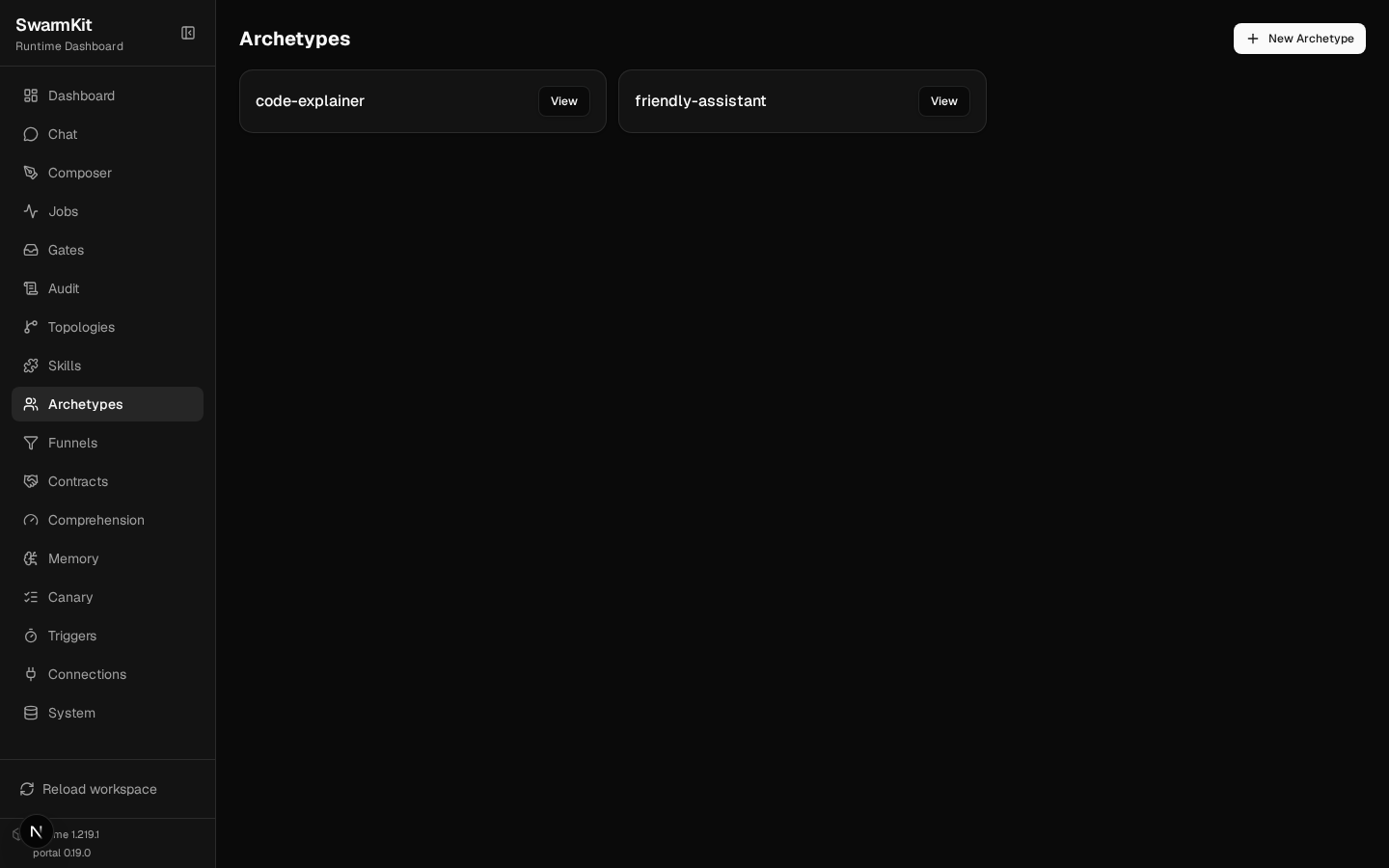
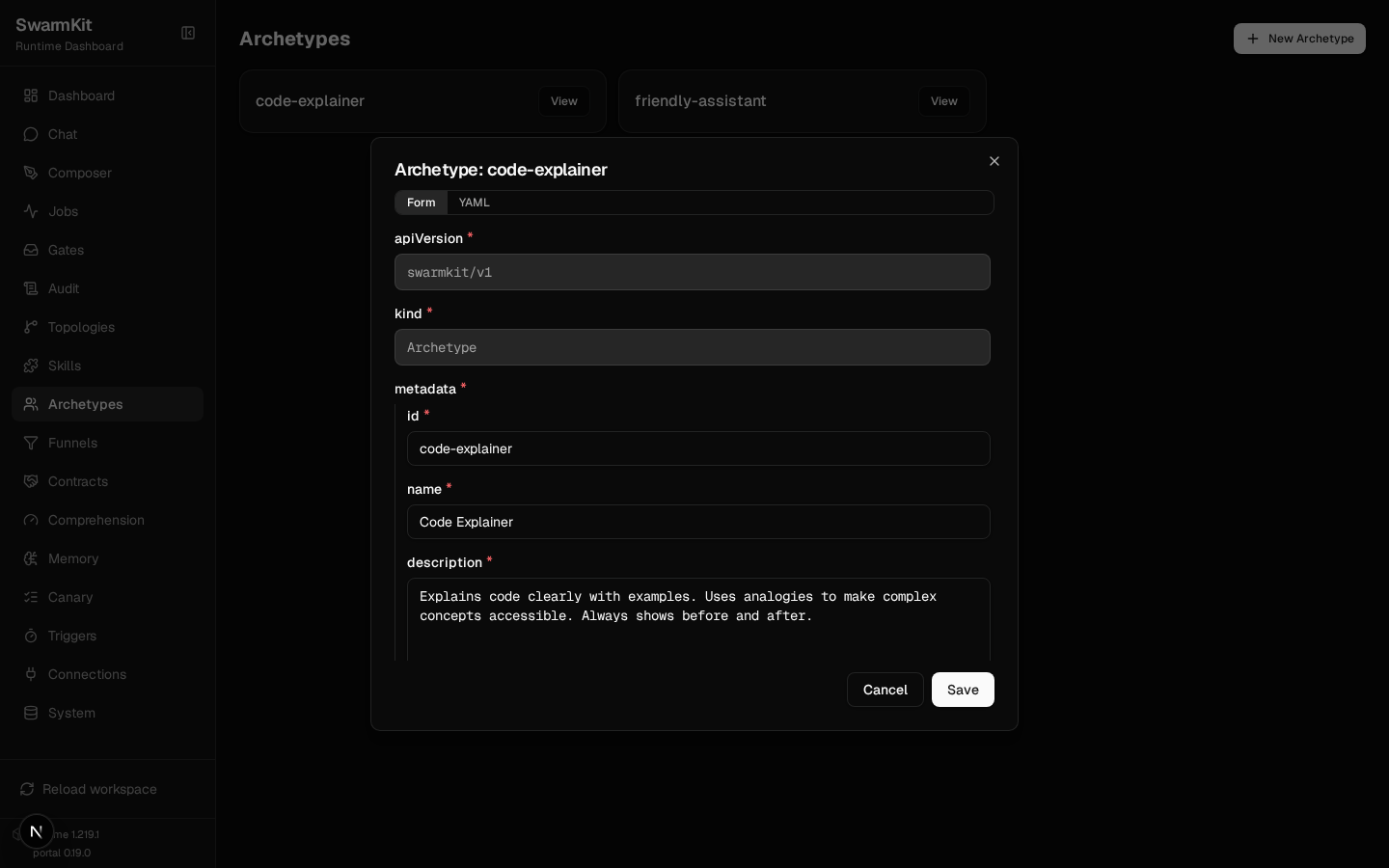
In the portal, each archetype is a card; View opens the same file as a form (every field the schema defines) or as YAML, and Save writes it back:
Model configuration reference
defaults:
  model:
    provider: openrouter          # a provider id — `swarmkit providers list` shows them all
    name: moonshotai/kimi-k2.5
    temperature: 0.7              # 0.0 = deterministic … 2.0
    max_tokens: 2048              # max output length
    tool_model: gpt-4o-mini       # a cheaper model for tool-calling turns (Level 6, dual model)
    tool_provider: openai         # its provider
    options: {}                   # provider-specific extras, passed through
Provenance options
provenance:
  authored_by: human              # human | authored_by_swarm | vendor_published
  version: 1.0.0                  # semver
  # authored_date: "2026-01-01"  # optional
  # registry: npm                 # optional, for published archetypes
  # vendor: delivstat             # optional
Your workspace so far
my-swarm/
├── workspace.yaml
├── archetypes/
│   ├── friendly-assistant.yaml
│   └── code-explainer.yaml
└── topologies/
    ├── hello.yaml
    └── explain.yaml
Next
Level 3: Skills — give your agents tools and capabilities.