Level 3: Skills
Give your agents capabilities — tools they can call and judgements they can make.
What you'll learn
- The four skill categories (capability, decision, coordination, persistence)
- The five implementation backings (
llm_prompt,mcp_tool,composed,command,agent) - Binding skills to archetypes, and adding or replacing them in a topology
- Output schemas, and the one thing a decision skill must return
- Constraints (timeout, retry, on_failure) and per-skill audit control
The finished workspace is examples/tutorials/03-skills/; every command below was run against it.
Why skills?
Without skills, agents can only generate text. With skills they can read files, call APIs, judge outputs, search databases and delegate. Skills are SwarmKit's only extension primitive — when you need behaviour, you write a skill, whatever backs it:
implementation.type |
What runs | Level |
|---|---|---|
llm_prompt |
one model call with the skill's prompt as its system prompt | this one |
mcp_tool |
a tool on an MCP server declared in workspace.yaml |
5 |
composed |
several skills, with a strategy (e.g. parallel consensus) | 7 |
command |
a local binary from a workspace command pack | 19 |
agent |
another topology, here or on a remote instance | 20 |
Build it
1. A capability skill (LLM prompt)
Not every skill needs a server. The simplest is a structured prompt:
# skills/summarize.yaml
apiVersion: swarmkit/v1
kind: Skill
metadata:
  id: summarize
  name: Summarize
  description: Summarize text into 3-5 bullet points, one clear sentence each.
category: capability
implementation:
  type: llm_prompt
  prompt: |
    You summarize. The user message is the text to summarize.
    Reply with 3-5 bullet points; each bullet is one clear sentence.
    Do not add commentary before or after the bullets.
constraints:
  timeout_seconds: 30
  retry:
    attempts: 2
    backoff: exponential
  on_failure: fallback
audit:
  log_inputs: summary
  log_outputs: full
provenance:
  authored_by: human
  version: 1.0.0
How an llm_prompt skill runs: the prompt becomes the system prompt of one model call, and
whatever the calling agent passed the tool is the user message. There is no template
substitution — write the prompt to address "the user message", as above.
constraints says what happens when the call is slow or fails: 30 s timeout, two retries with
exponential backoff, and then on_failure: fallback — the failure reaches the agent as a tool
error it can act on (fail ends the run; escalate_to_human files a review item instead).
audit controls what the audit log records per skill: inputs as a summary, outputs in full;
redact: ["$.api_key"] would drop a field from both.
2. A decision skill
Decision skills evaluate something and return a verdict. The schema requires them to declare their
outputs, and the outputs must include reasoning — an audit or a review needs the rationale next
to the verdict, and the schema will not let you leave it out:
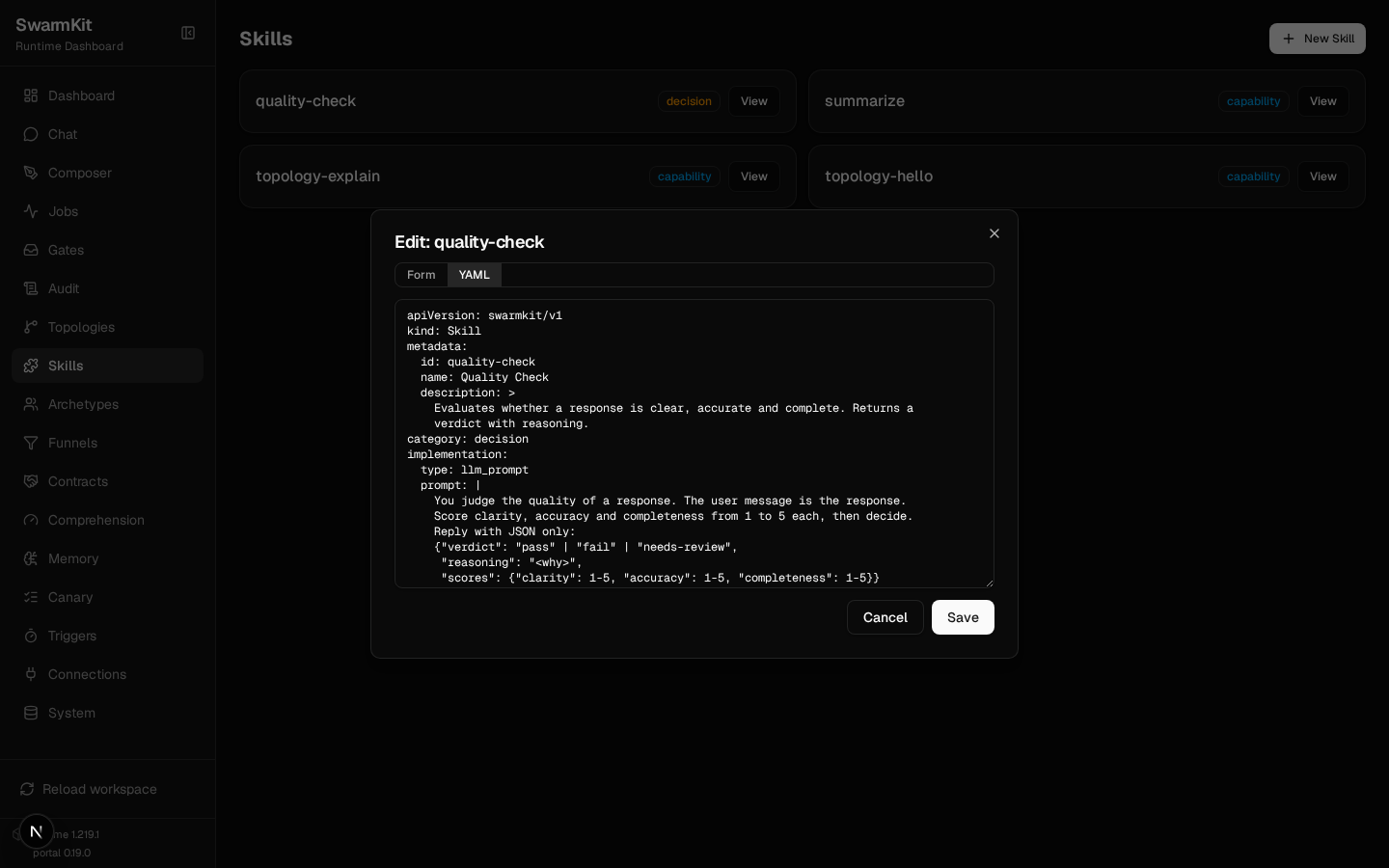
# skills/quality-check.yaml
apiVersion: swarmkit/v1
kind: Skill
metadata:
  id: quality-check
  name: Quality Check
  description: >
    Evaluates whether a response is clear, accurate and complete.
    Returns a verdict with reasoning.
category: decision
implementation:
  type: llm_prompt
  prompt: |
    You judge the quality of a response. The user message is the response.
    Score clarity, accuracy and completeness from 1 to 5 each, then decide.
    Reply with JSON only:
    {"verdict": "pass" | "fail" | "needs-review",
     "reasoning": "<why>",
     "scores": {"clarity": 1-5, "accuracy": 1-5, "completeness": 1-5}}
outputs:
  type: object
  required: [verdict, reasoning]
  properties:
    verdict:
      type: string
      enum: [pass, fail, needs-review]
    reasoning:
      type: string
    scores:
      type: object
provenance:
  authored_by: human
  version: 1.0.0
A decision skill granted to an agent is a tool it can call. Bound under a topology's
governance.decision_skills it becomes a gate on the agent's output that the runtime runs for
it — Level 7.
3. An MCP-backed skill
The same skill shape with a different backing — a tool on a server:
implementation:
  type: mcp_tool
  server: filesystem     # an `mcp_servers` entry in workspace.yaml
  tool: read_file
A skill naming a server the workspace does not declare fails the workspace load — not the first run that reaches for it. That is why this one is not in this level's workspace: Level 5 declares the server and adds it.
4. Bind skills to an archetype
# archetypes/friendly-assistant.yaml — updated
apiVersion: swarmkit/v1
kind: Archetype
metadata:
  id: friendly-assistant
  name: Friendly Assistant
  description: >
    A warm, helpful assistant that answers questions clearly and
    concisely, and can summarize what it is given.
role: root
defaults:
  model:
    provider: openrouter
    name: moonshotai/kimi-k2.5
    temperature: 0.7
    max_tokens: 2048
  prompt:
    system: |
      You are a friendly, helpful assistant. Answer questions
      clearly and concisely. When the user gives you a long text,
      use the summarize tool rather than summarizing it yourself.
  skills:
    - summarize
provenance:
  authored_by: human
  version: 1.0.0
The prompt tells the model when to use the tool. A model that is merely given a tool will often answer in prose instead; naming the situation is what makes it reach for the skill.
5. Add or replace skills in a topology
# topologies/hello.yaml
apiVersion: swarmkit/v1
kind: Topology
metadata:
  name: hello
  version: 0.3.0
  description: A single agent using an archetype.
agents:
  root:
    id: assistant
    role: root
    archetype: friendly-assistant
    skills_additional:
      - quality-check    # added to the archetype's skills; `skills:` would replace them
skills_additional merges onto the archetype's list. skills replaces it entirely.
Validate and run
✓ workspace: my-swarm
  topologies: 2   (explain, hello)
  skills:     4   (quality-check, summarize, topology-explain, topology-hello)
  archetypes: 2   (code-explainer, friendly-assistant)
  triggers:   0   (—)

topology: hello
  assistant (role=root, archetype=friendly-assistant)
    model: openrouter/moonshotai/kimi-k2.5
    skills: summarize, quality-check
--- [assistant] calling moonshotai/kimi-k2.5 ---
  tools: ['summarize', 'quality-check']
  input: Summarize this text....
  tool_calls: []
  text: ['mock response']
The tools: line is the proof the skills were offered. The mock provider never calls a tool, so
tool_calls is empty; on a real model the same run shows the call and its execution — this is a
local qwen3.5:4b through Ollama:
  tools: ['summarize', 'quality-check']
  tool_calls: ['summarize']
  [assistant] calling summarize {}
  executing: summarize
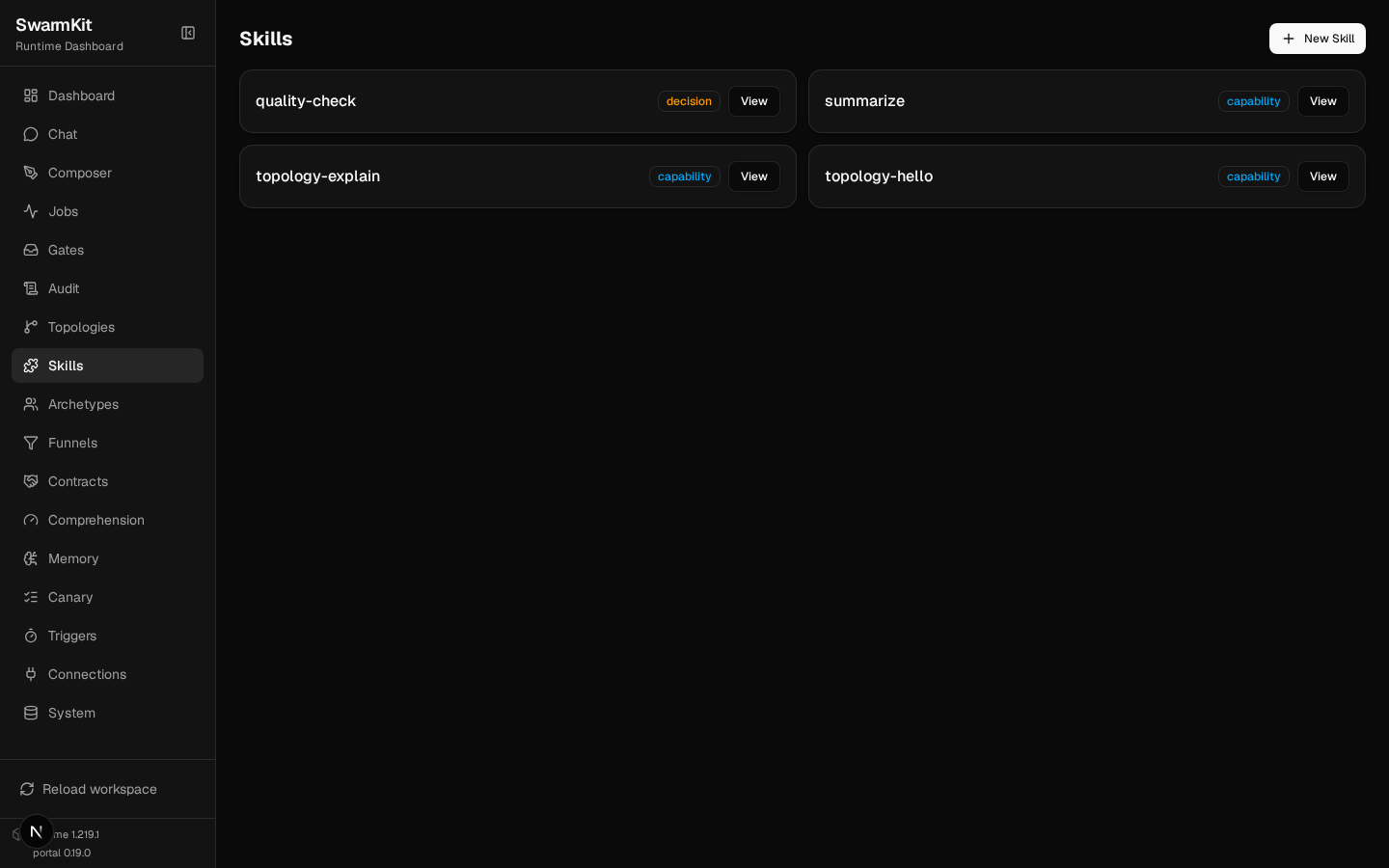
The portal's Skills page lists every skill with its category — including the two you did not write (Level 20) — and View opens the file as a form or as YAML to edit in place:
Skill categories
| Category | Purpose | Example |
|---|---|---|
capability |
Do something (read, write, compute) | Read file, call API, summarize |
decision |
Evaluate and return a verdict with reasoning | Quality check, security scan |
coordination |
Coordinate between agents | Peer handoff, escalate to a human |
persistence |
Record state for later | Governed memory write |
Your workspace so far
my-swarm/
├── workspace.yaml
├── archetypes/
│   ├── friendly-assistant.yaml
│   └── code-explainer.yaml
├── skills/
│   ├── summarize.yaml
│   └── quality-check.yaml
└── topologies/
    ├── hello.yaml
    └── explain.yaml
Next
Level 4: Multi-Agent — build a team of agents that delegate to each other.